Study types
| Fusion study | MeshWeave | What you read first |
|---|---|---|
| Static Stress | Strength and stiffness | Safety factor and maximum deflection, stress painted on the part |
| Modal Frequencies | Vibration | The first six natural frequencies, each mode shape animated |
| Structural Buckling | Tick "Also check buckling" on Strength and stiffness | The load multiple before a wall or member folds, and its shape |
| Thermal (steady state) | Thermal, in the Flow & Thermal workspace | Temperature map, hottest point, thermal resistance |
Each is 3 credits a run.
Constraints are Fixed supports. Structural loads are Loads, each with its force in newtons and a direction you set on the mark itself. Study materials are the Material row of the simulation. Mesh settings collapse into one choice when you start the run: Quick, Standard or Detailed.
Credits, without surprises
If you are used to watching a cloud-credit balance, the habit transfers, with two differences. The cost of the exact run you are about to start is printed above the Start button, and a run you cancel gives its credits back.
- 3 credits
- A strength check, a vibration run, a buckling check or a steady heat run.
- 1 credit
- Where material can come out, or a plain lattice fill.
- 5 credits
- A stress-graded lattice, whose struts thicken along the load paths from one strength solve.
A static stress study, step by step
- Press New project on the home page, then Choose a file… and pick your part. From Fusion, a STEP export keeps its true shape best. Show me in the app
- Press + on Simulations in the tree and create Strength and stiffness. Show me in the app
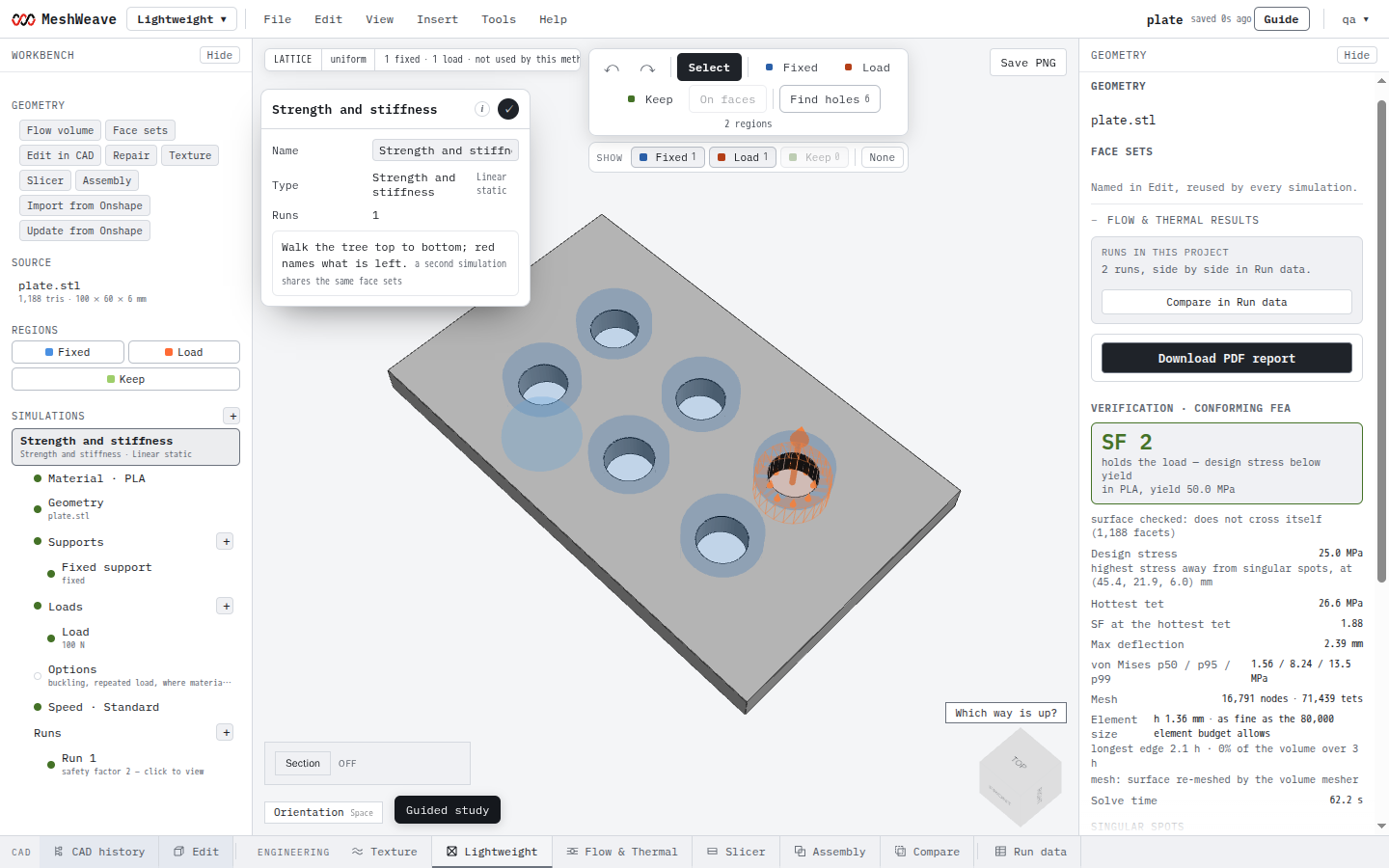
A strength simulation set up on the sample plate: the tree on the left, the supports and loads drawn on the part. - Pick the material. Show me in the app
- Place a Fixed support where the part is held, as you would a fixed constraint. Show me in the app
- Place a Load where the force goes in and type it in newtons. Show me in the app
- Start the run from Runs at Standard. The price is above the button. Show me in the app
- Read the chips, then switch the view to Stress. Show me in the app
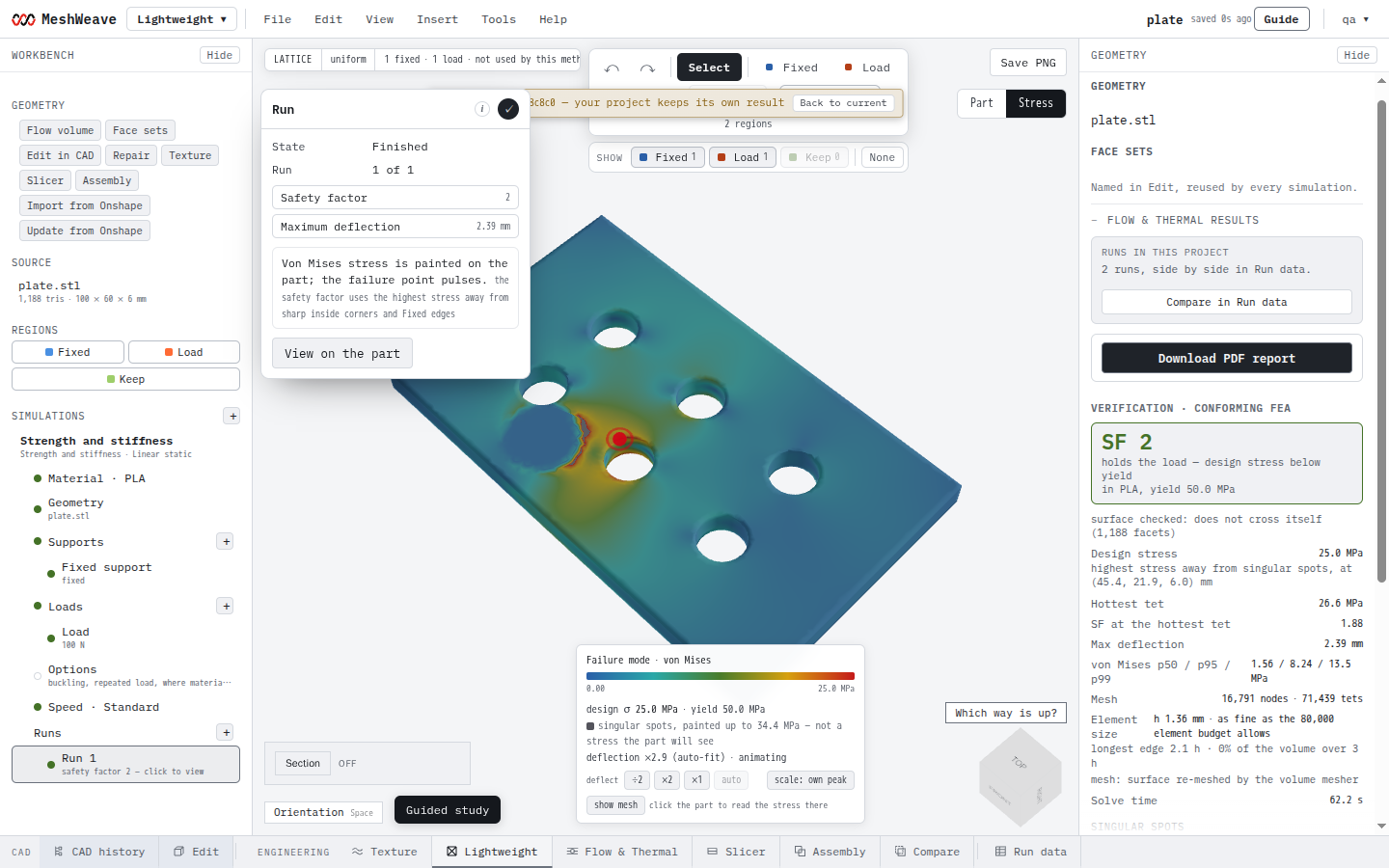
A finished strength run opens on its answer: safety factor and deflection as chips, stress painted on the part.
If you used Shape Optimization
Shape Optimization shows you where material is doing work. The nearest tool here is Where material can come out: one solve, 1 credit, painting the material that carries this load and the material that is spare.
- Style the part
- Round, smooth, thicken or thin the part behind a safety-factor guard that refuses a style which weakens it. The guard is a quick estimate; check the styled body with a strength run.
- Reduce the stress peak
- Reshapes the surface to even out stress at the same volume. Today the reshaped surface comes back stepped rather than smooth, so treat it as a guide to where to add a fillet.